 Simpler Books
Bookkeeping for small UK offices, without the clutter.
Invoices, bank reconciliation, VAT returns and reports, in one calm and quick place. Everything works by hand, so nothing depends on a bank feed, and your accountant logs in to the same books as you.
The demo is a design studio's real-looking books. Change anything you like: it starts afresh every night.
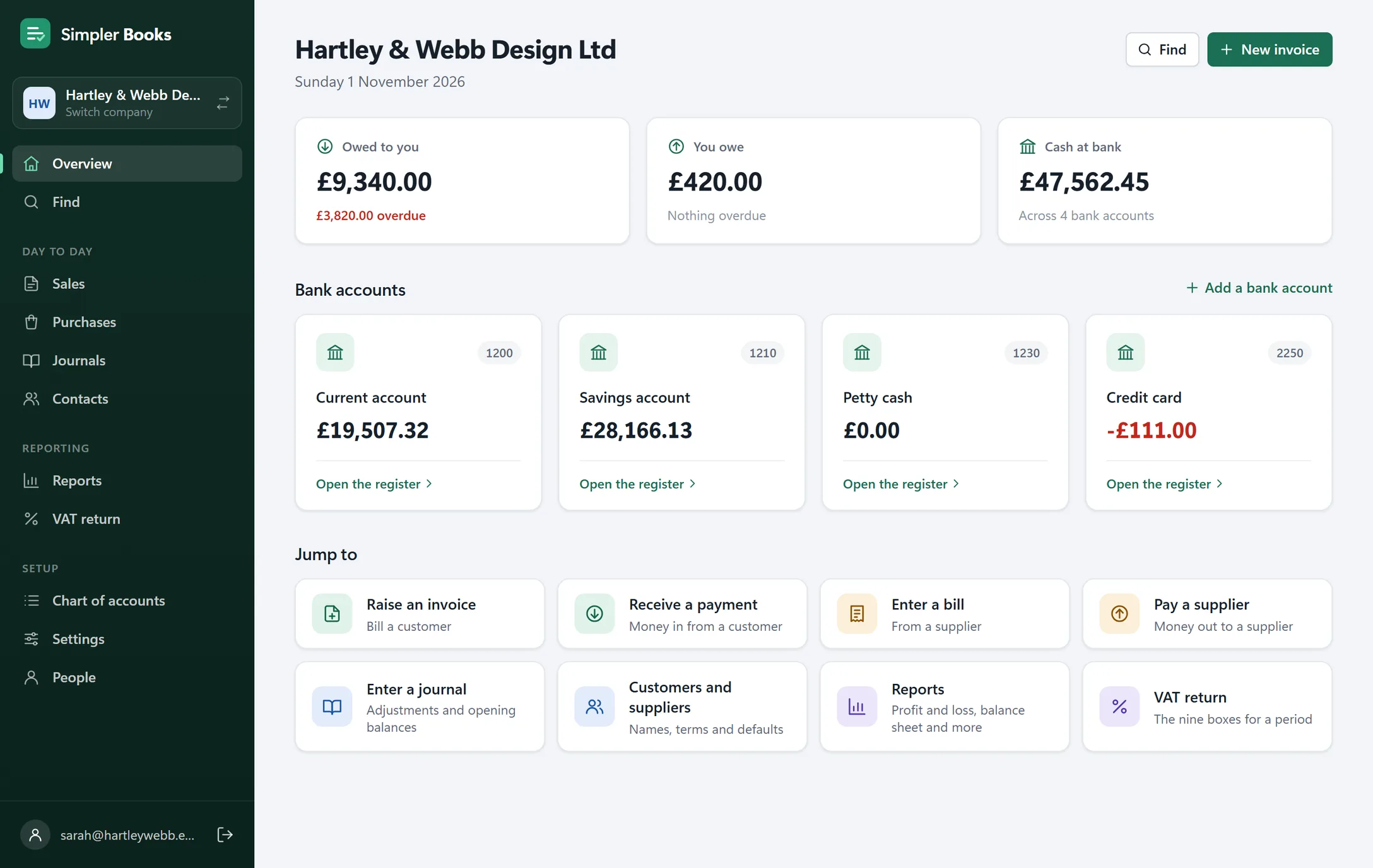
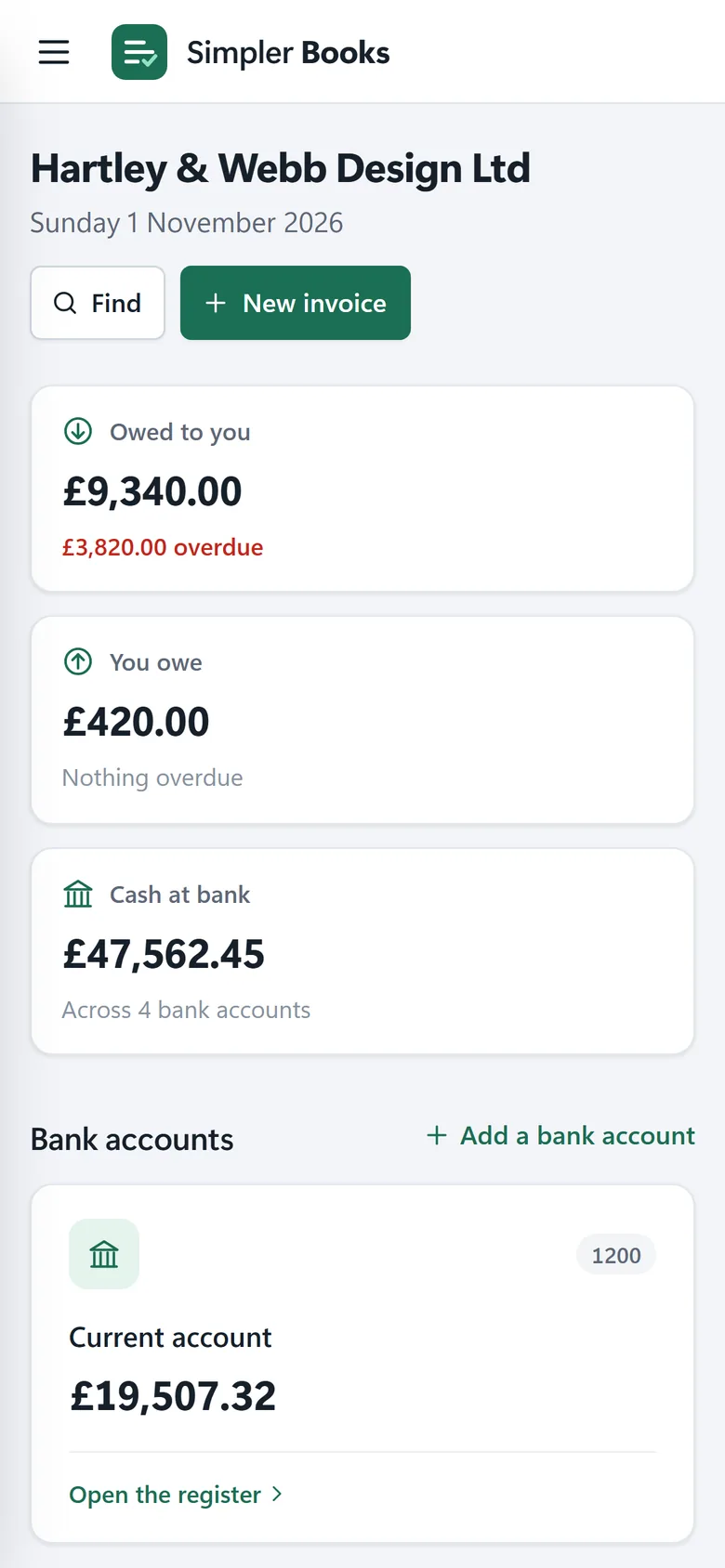
- UK VAT built inStandard, cash and flat rate schemes, and the nine-box return.
- No bank feed neededImport statements as CSV, OFX or QIF files, or type them in.
- Your accountant, invitedOwners, accountants, bookkeepers and read-only access.
- Nothing to installWorks in any browser, and installs on your phone like an app.
The jobs a small office does every week, done properly.
Simpler Books is in the spirit of desktop QuickBooks: enter the transactions, reconcile the bank and run the reports. It's online, so you can do it from anywhere, but it doesn't try to do your thinking for you.
Reconcile the bank in minutes
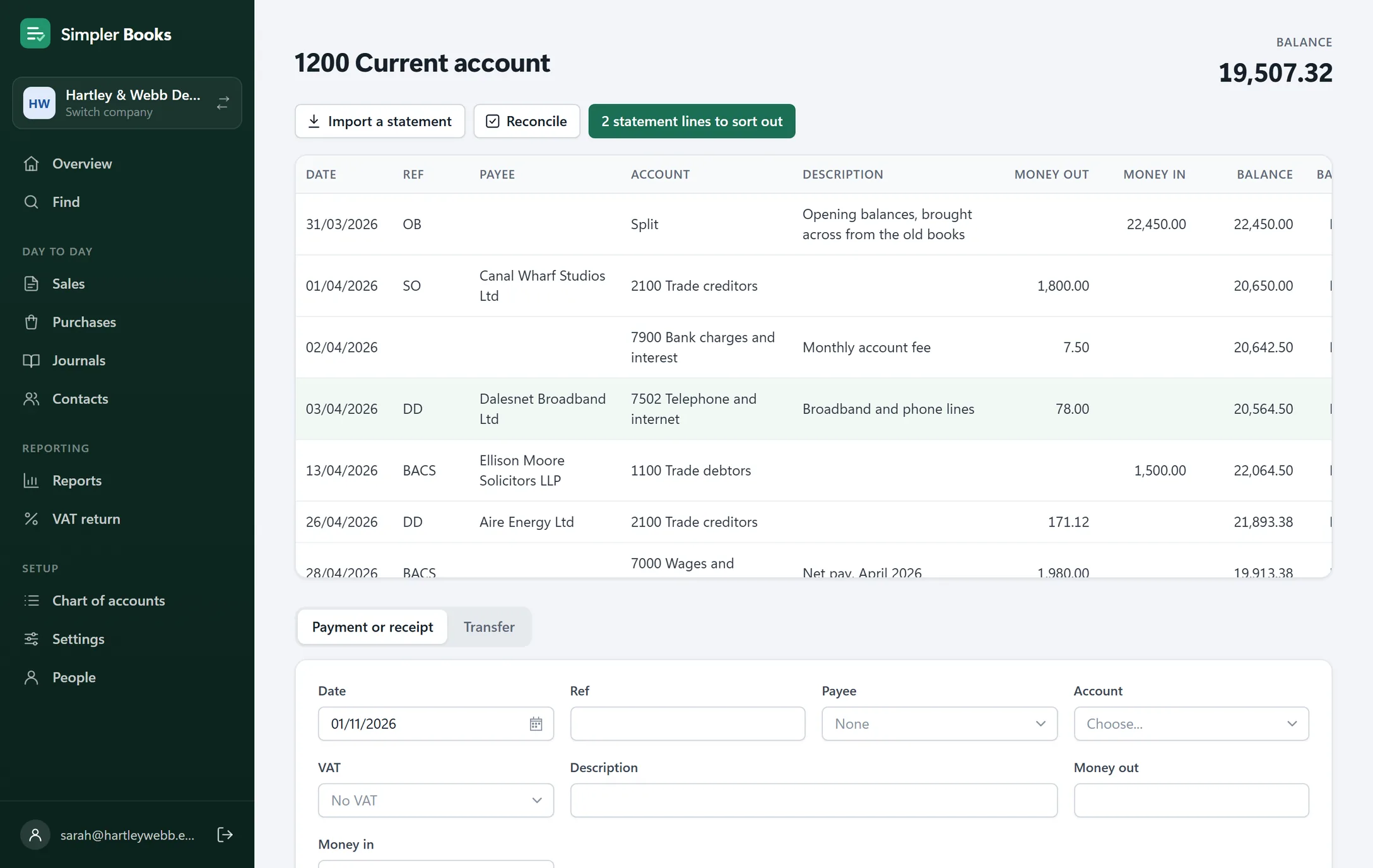
Bring in the bank statement, match it to the books, and tick it off. You always know the books agree with the bank.
- Import statements from CSV, OFX or QIF files from your online banking
- Match each line to an invoice, bill or payment, or add it there and then
- Reconcile month by month, with every past reconciliation kept
Invoices that look like yours
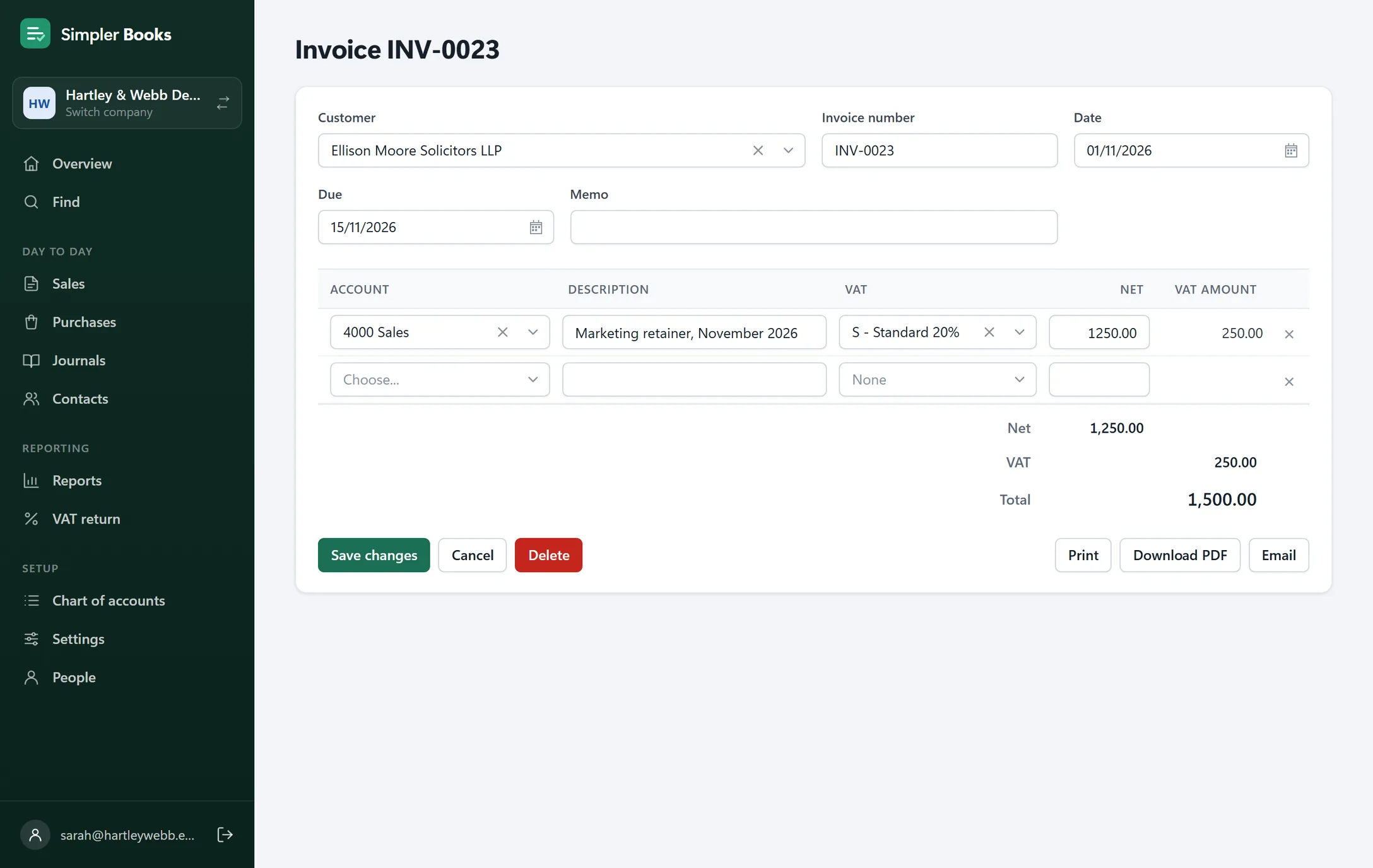
Raise invoices and credit notes with your logo, bank details and VAT number, and see straight away who owes you and what's overdue.
- Print them, download a PDF, or email them from your own mailbox, including Microsoft 365
- Take payments against them, part payments included
- Print a statement for any customer or supplier, with what's overdue and by how long
VAT returns you can check
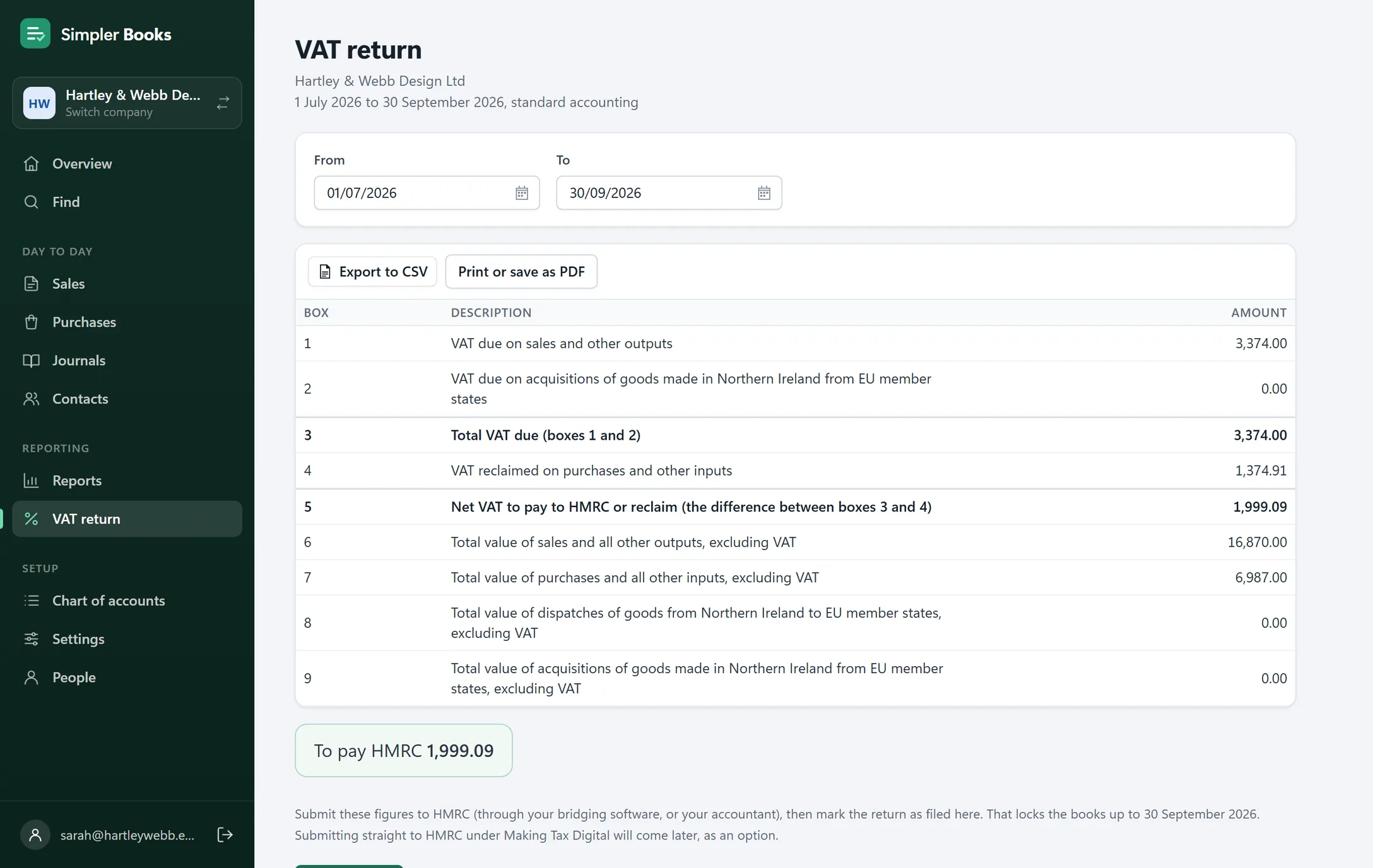
The nine boxes are worked out from the books, so you can see exactly where each figure comes from before it goes to HMRC.
- Standard, cash and flat rate schemes
- Mark the return as filed to lock the books up to its end, so nothing changes underneath it
- Export it to CSV, or print it for your records
The reports your accountant expects
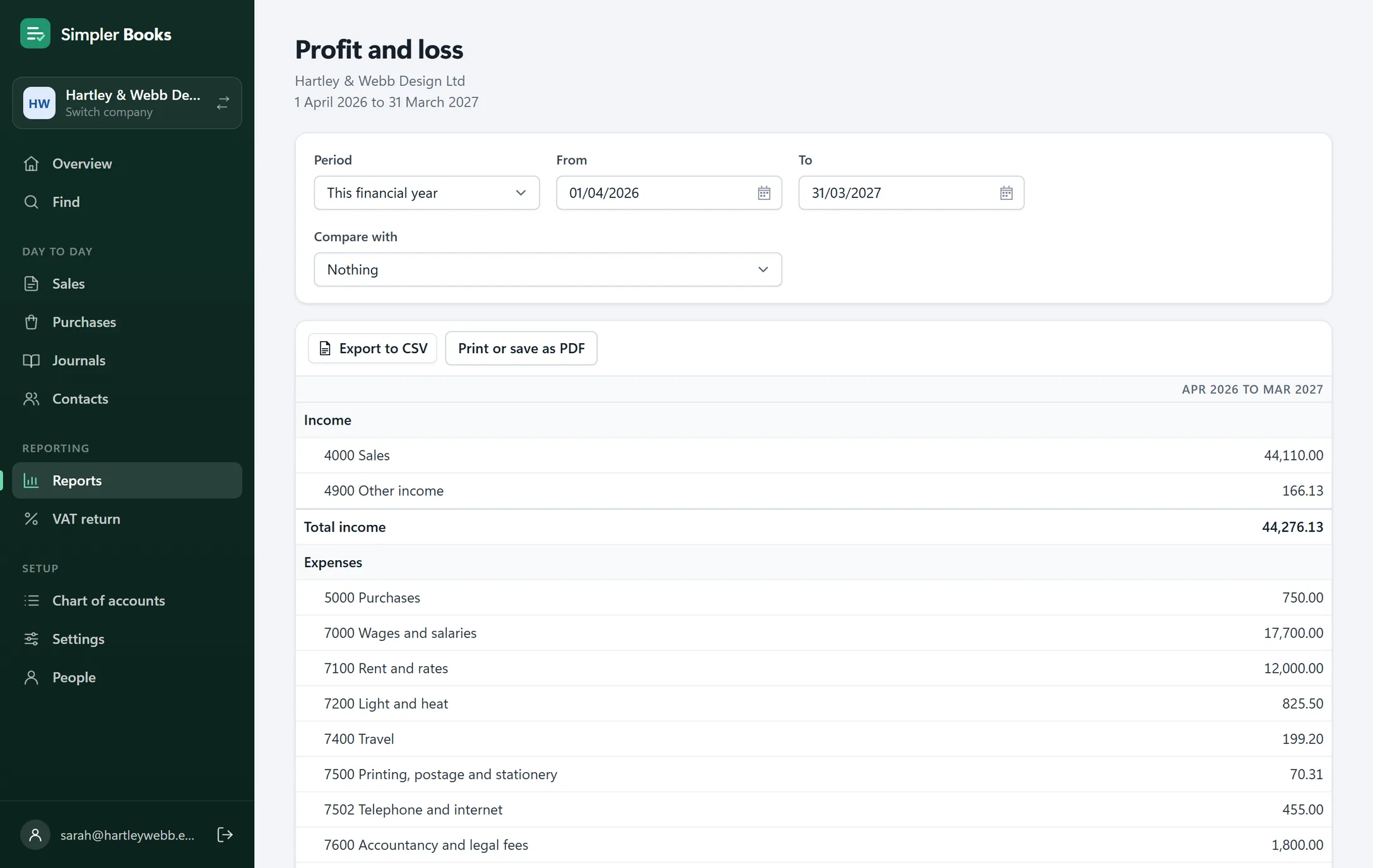
Run them for any period, print them, or export them to a spreadsheet.
- Profit and loss, balance sheet and trial balance
- Aged debtors and creditors, and nominal activity
- An audit trail of every change, and who made it
Everything else you'd look for.
Bills and suppliers
Enter bills and supplier credits, pay them, and see what you owe and when it's due.
Journals
Adjustments, accruals and opening balances, for whoever looks after the year end.
Find anything
Look up any transaction by date, account, customer or supplier, VAT code, reference or description.
A lock date
Close off a period once it's done, so last year's figures stay last year's figures.
Clients side by side
An accountant can open a different company in each browser tab, and work on them at once.
Your own database
Each company's books are kept in a database of their own, and backed up every day.
Coming from QuickBooks Online? Bring your books with you.
Simpler Books reads the reports QuickBooks exports, and won't save a thing until the figures match QuickBooks' own trial balance.
-
Export from QuickBooks
Run the trial balance, the customer and supplier lists, and the open invoices and bills, and save them as spreadsheets.
-
Check and import
Your accounts, customers, suppliers and balances come across, or the whole history if you'd rather, checked against the trial balance first.
-
Carry on where you left off
Open invoices and unpaid bills come across one by one, so they can be paid here as usual. We're happy to do it with you.
See if Simpler Books suits your business.
Tell us a little about your business, and we'll set you up, bring your books across and show you round.
- We set it up, and bring your books across from QuickBooks
- Daily backups of your books
- Help from the people who build it
Things people ask.
Does it file my VAT return with HMRC?
It works out the nine boxes from your books and locks the period once the return is filed. For now, the figures go to HMRC through bridging software, or through your accountant. Submitting straight to HMRC under Making Tax Digital is on its way, as an option.
Do I need to connect my bank?
No. Download a statement from your online banking as a CSV, OFX or QIF file and import it, or type the transactions in. Everything in Simpler Books works without a connection to anything.
Can my accountant use it too?
Yes. Invite them by email as an accountant, and they log in to the same books as you, with their own login. Bookkeepers and read-only access are there too.
Can I move my books from QuickBooks?
From QuickBooks Online, yes: your accounts, customers, suppliers and balances, or the whole history, checked against the QuickBooks trial balance before anything is saved. We can do it with you.
Where are my books kept?
On a server in the UK, so they stay in the UK. Each company's books are in a database of their own, backed up every day, and only the people you invite can open them. See the privacy notice for the details.
Does it work on a phone or a Mac?
Yes. It runs in any up-to-date browser, on Windows, Mac, tablets and phones, and you can install it on your phone or desktop like an app.